How it works
From crypto to a paid bill in three steps.
No P2P buyer, no waiting for a bank alert. Here is exactly what you do in the app, step by step.
Step 1
Create your account and verify.
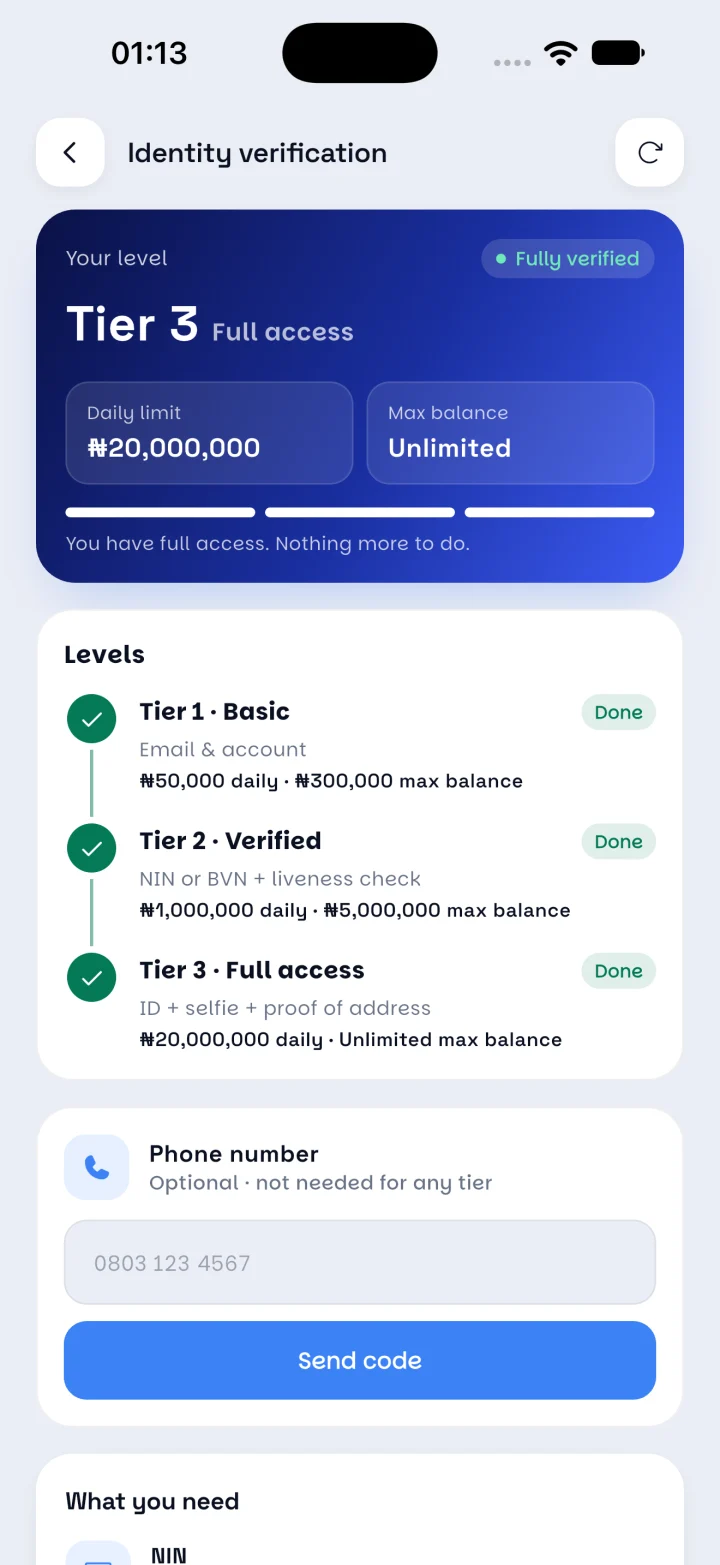
Sign up with your email and set a 4-digit transaction PIN. Then verify your identity in the app to unlock higher limits.
- Tier 1 · Basic: email and account. ₦50,000 a day.
- Tier 2 · Verified: NIN or BVN plus a liveness check. ₦1,000,000 a day.
- Tier 3 · Full access: ID, selfie and proof of address. ₦20,000,000 a day.
Step 2
Add money with crypto.
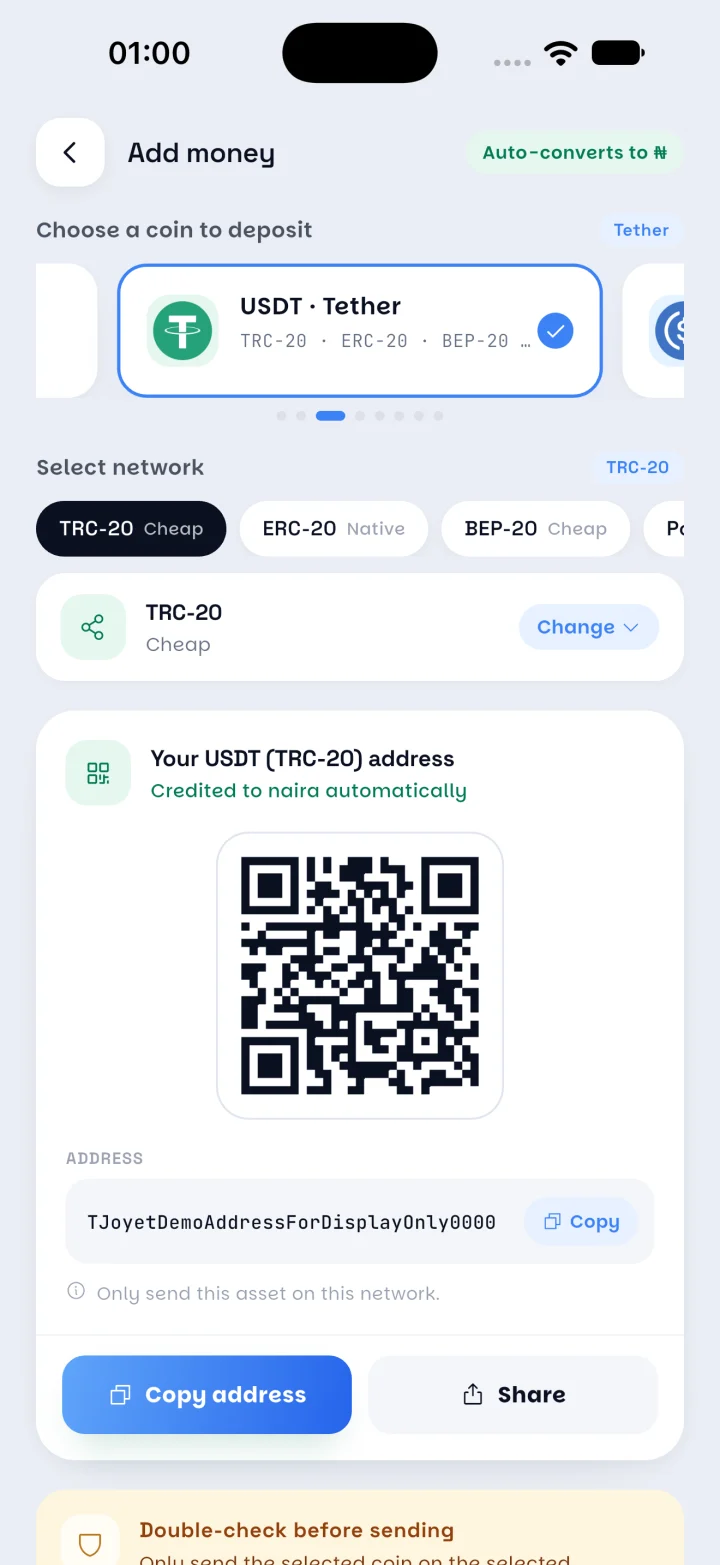
Tap Add money, pick a coin and a network, and scan the QR code or copy your personal deposit address. When the deposit is confirmed, it lands in your wallet as naira.
- Deposit USDT, USDC, BTC or ETH.
- Each network is labelled, for example Cheap, Native or Fast.
- Always send on the exact network shown, or the deposit can be lost.
Optional
Or keep it as crypto.
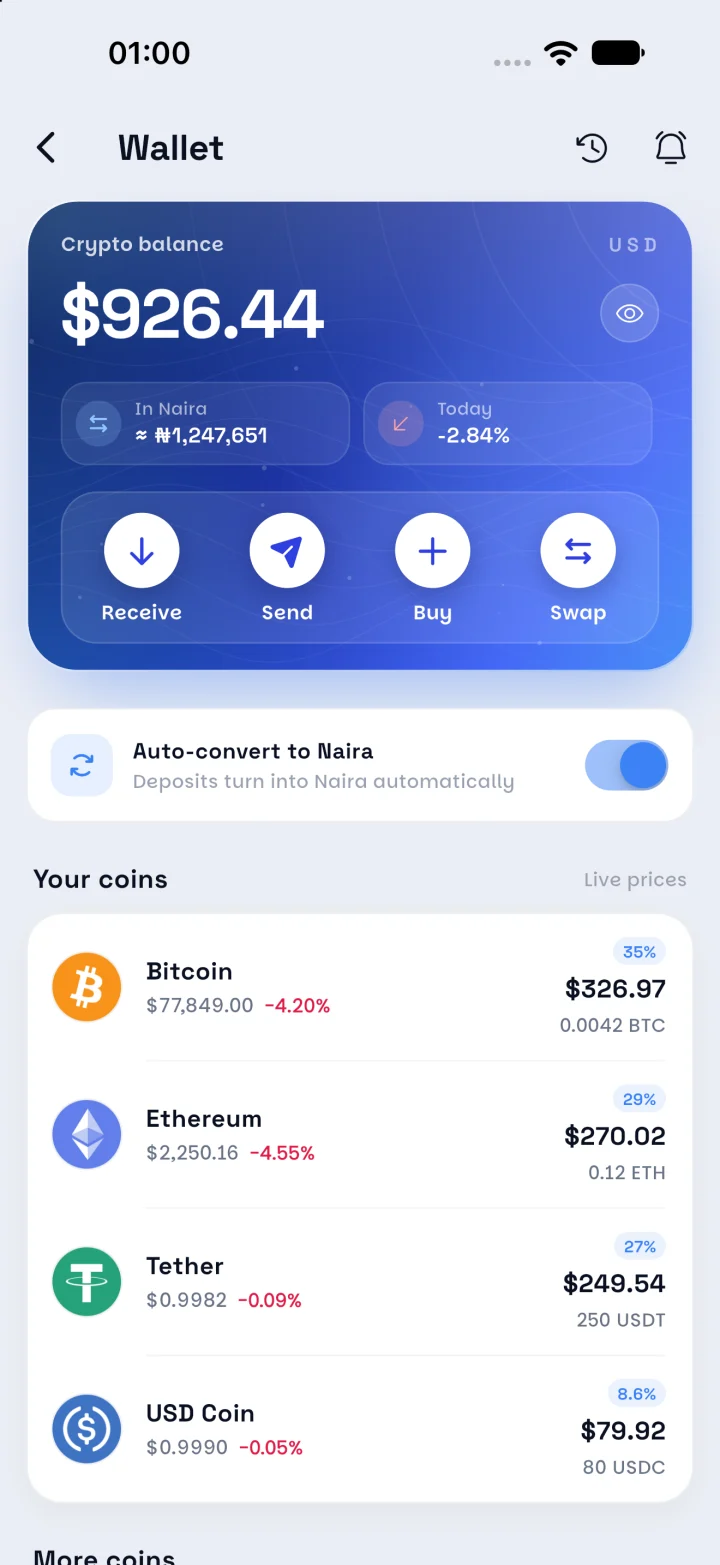
Prefer to hold your coins? Turn Auto-convert to Naira off and deposits stay in your crypto wallet. Swap to naira whenever you need to spend.
- See each coin's value at live prices.
- Receive, buy, send or swap in one place.
- Set price alerts so you swap at the right time.
Step 3
Pay, send or request.
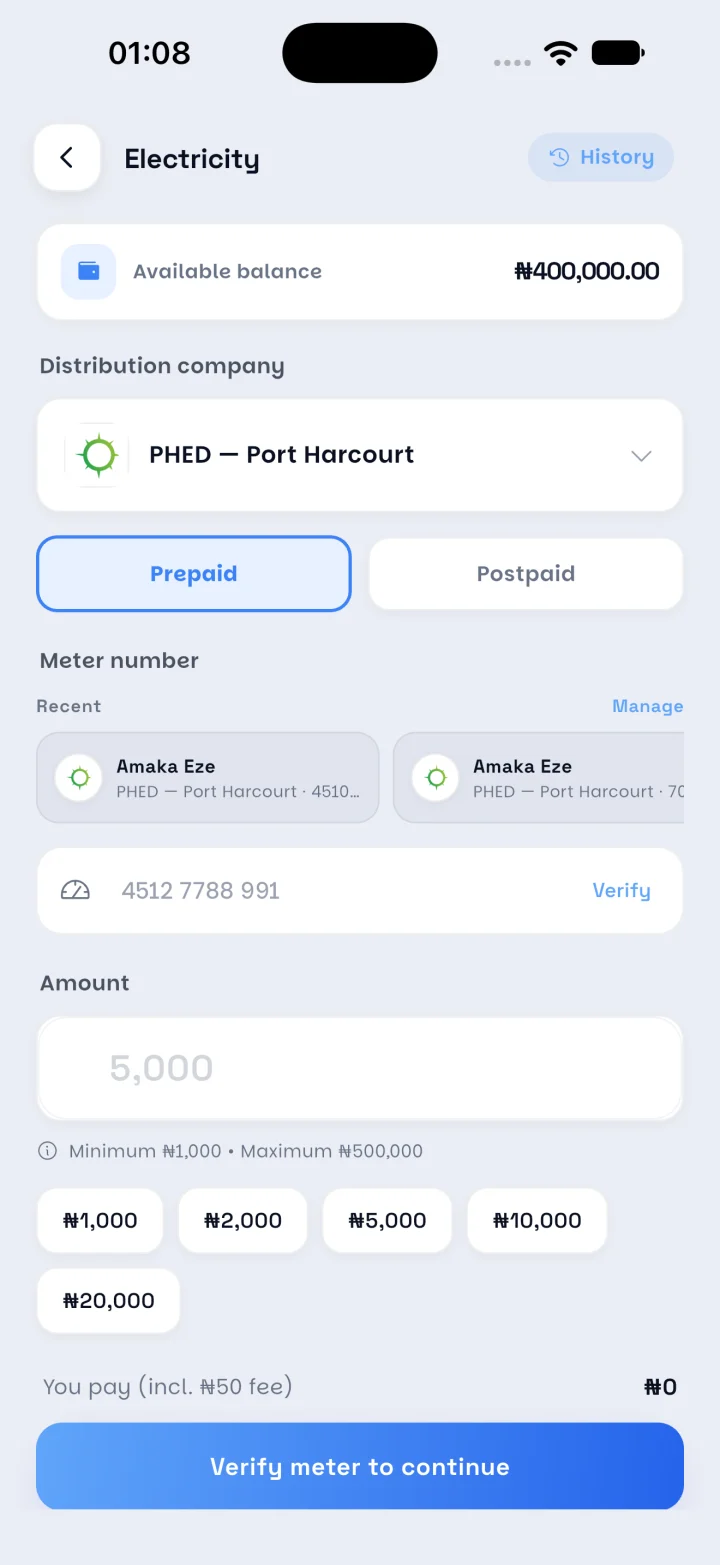
Buy a power token, top up airtime or data, renew your TV, or send money to a friend. The meter, smartcard or account is checked before you pay, and every payment gets a receipt.
- See the fee and the total before you confirm.
- Confirm with your PIN or fingerprint.
- If a payment fails, the money goes back to your balance.
No buyer to wait for
Your crypto converts on its own. Nobody has to accept a trade or send you a bank alert.
A receipt for everything
Deposits, bills and transfers are all in your Activity tab, with monthly statements.
Free between users
Send naira to any JOYET user by @username or email. It arrives instantly, with no fee.

Start spending your crypto like money.
JOYET is launching on Android and iPhone. Join early access and we'll send you the download link first.